Innova CarScan vs BlueDriver OBD2 Scanners: Handheld Depth or Phone Simplicity?
The Innova CarScan Pro 5610 and the BlueDriver LSB2 are two different answers to the same check engine light. One is a handheld scanner with its own screen, buttons and bidirectional tests; the other is a small Bluetooth sensor that turns a phone into a scan tool. A bluedriver obd2 sensor plugs into the port, pairs with a free app, and reads over 7,000 codes with vehicle-specific Repair Reports. The Innova 5610 reads the same codes on its own screen, adds bidirectional control that commands parts of the car, and pairs with the free RepairSolutions2 app for verified fixes. Choose the tool that matches how you work.
The short answer: buy the Innova CarScan Pro 5610 for the deepest handheld diagnostics, bidirectional tests, and a screen that works with no phone. Buy the BlueDriver LSB2 for Repair Reports, a free app with no subscription, and the smallest tool in the glove box. The Innova 5210 below covers engine codes first. One flag before you order: the BlueDriver listing shows no live offer in the latest checks, and the Innova 5210 listing shows none either — confirm a live offer is showing before you order either one.
As an Amazon Associate I earn from qualifying purchases.
Quick Pick: Innova CarScan vs BlueDriver OBD2 Scanner
| Pick | Product | Best For | Check Price |
|---|---|---|---|
| Best Handheld Diagnostics | Innova CarScan Pro 5610 OBD2 Bidirectional Scan Tool | Bidirectional tests, all-system scan, 3.5-inch screen, free RepairSolutions2 app | Check Price on Amazon |
| Best Repair Reports | BlueDriver Bluetooth Pro OBDII Scan Tool, Model LSB2 | Over 7,000 codes, ABS and airbag coverage, vehicle-specific Repair Reports, no subscription | Check Price on Amazon |
| Best Engine-Code Innova Handheld | Innova 5210 OBD2 Scanner and Engine Code Reader | Engine codes, battery test, live data, oil reset, Bluetooth app | Check Price on Amazon |
Table of Contents
What Each Scanner Is
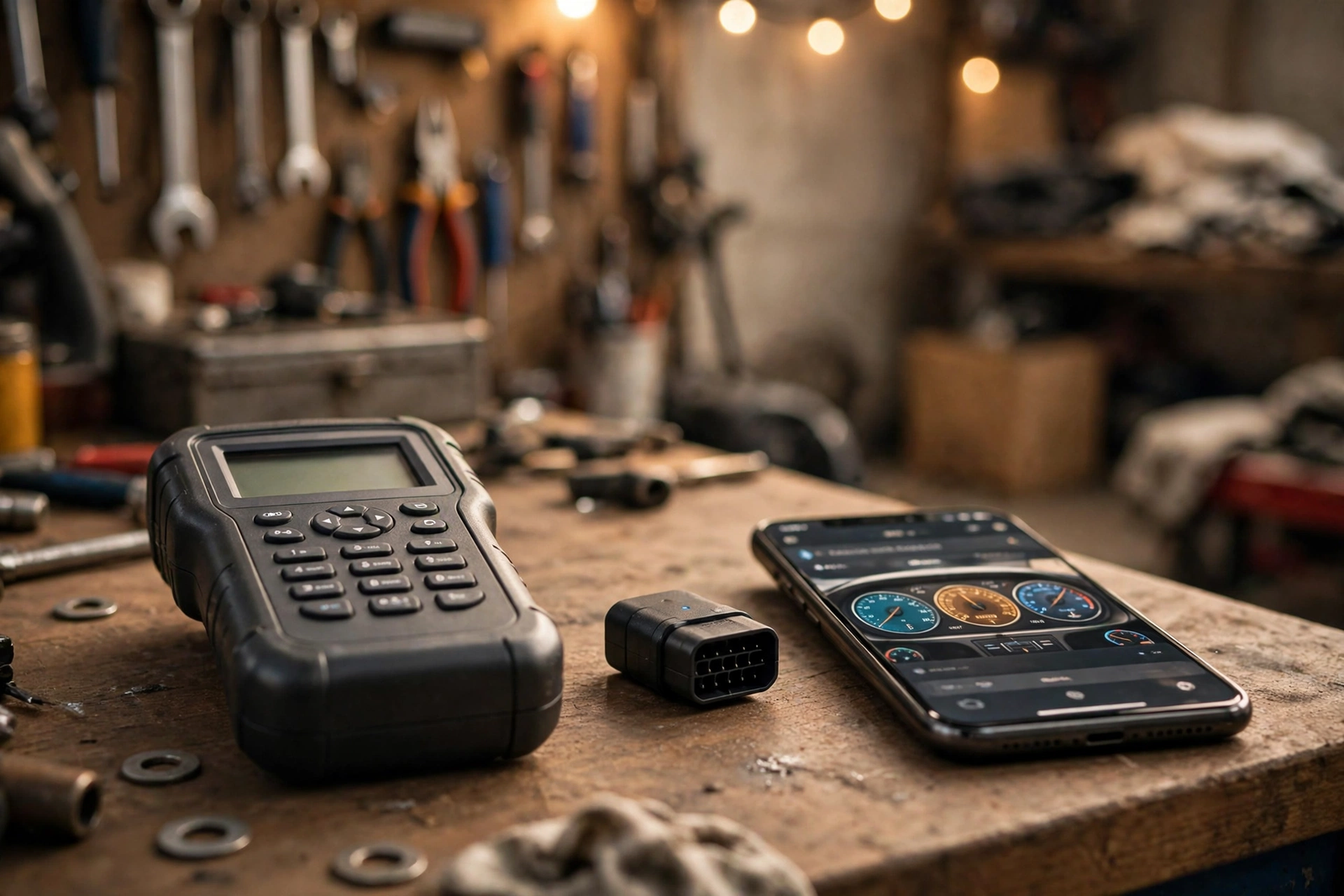
The Innova CarScan Pro 5610 is the flagship of Innova’s consumer line: a handheld bidirectional scan tool with a 3.5-inch screen, buttons and an OBD2 cable. It reads and clears codes across all vehicle systems — engine, ABS, SRS, transmission and TPMS, per the listing — shows OEM live data, and runs six service functions. It pairs over Bluetooth with the free RepairSolutions2 app for verified fixes, but it works on its own: the screen and buttons do the job with no phone at all. It needs three AA batteries to run off the car.
A bluedriver obd2 tool is the opposite shape: the BlueDriver Bluetooth Pro OBDII Scan Tool, model LSB2, made by Lemur Vehicle Monitors, is a compact Bluetooth sensor that plugs into the car’s OBD2 port and turns an iPhone or Android phone into a professional scan tool. The sensor and the free BlueDriver app work exclusively as a single tool — the sensor does nothing without the app, and the app does nothing without the sensor. It reads and clears check engine codes, reads enhanced codes on supported makes, and writes a Repair Report for each code. Our BlueDriver OBD2 scan tool review covers it on its own in full depth.
| Spec | Innova CarScan Pro 5610 | BlueDriver LSB2 |
|---|---|---|
| Screen | 3.5-inch screen with buttons, works with no phone | No screen — the phone is the screen, via the app |
| Bidirectional tests | Yes — active tests, limited to the powertrain control module per one review source | Not claimed on the listing checked |
| Systems read | All systems: engine, ABS, SRS, transmission, TPMS, per the listing | Engine plus enhanced ABS, SRS, airbag and TPMS on supported makes |
| Codes read | All-system scan, per the listing | Over 7,000 codes, per the listing |
| App | RepairSolutions2, free, optional | BlueDriver app, free, no subscription, required |
| Power | Vehicle-powered plus 3 AA batteries required | Vehicle-powered through the port, no battery |
| Size | 7 by 3.75 by 1 inches, per the listing | 2.2 inches long, per the listing |
| Vehicle coverage | Most 1996 to 2023 OBD2 vehicles, per the listing | All vehicles 1996 or newer, all OBD2 protocols including CAN |
| Updates | Free updates included, per the listing | App updates through the app store |
What Each Scanner Reads: Codes and Systems
What each scanner reads is the first real split, and it is the gap between a code reader and a diagnostic tool. The Innova 5610 reads all systems and adds bidirectional control: it can send commands to test functions, such as switching the fuel pump on and off, retracting the electronic parking brake, cycling a fuel injector and running an EVAP system leak test. One review source notes the active tests are limited to the powertrain control module — it cannot run active tests on ABS, SRS or body control modules — so treat the bidirectional claim as PCM-only. Its six service functions are oil reset, battery registration, electronic parking brake reset, ABS bleeding, diesel particulate filter regeneration and throttle body relearn, and it reads hybrid battery cell voltage. The diesel particulate filter regeneration alone matters for diesel owners: it is the feature that separates the 5610 from the other two tools here.
The bluedriver obd2 tool reads over 7,000 codes and clears confirmed, pending and permanent check engine codes for all makes, and it reads enhanced codes — ABS, airbag, SRS, transmission and TPMS — on supported makes. The enhanced coverage is not universal: per BlueDriver’s listing it covers GM, Ford, Chrysler, Toyota, Nissan and Mazda worldwide, and BMW, Volkswagen, Honda and others in North America, with the exact list varying by model year — that split is the listing’s, not independently verified. A freeze frame snapshot is stored when a code is set, and Mode 6 gives advanced test results like misfire counts. If the ABS light is a sensor or a pump, both tools answer. If you want to command the part and watch what happens, only the 5610 does.
The Apps: RepairSolutions2 vs BlueDriver
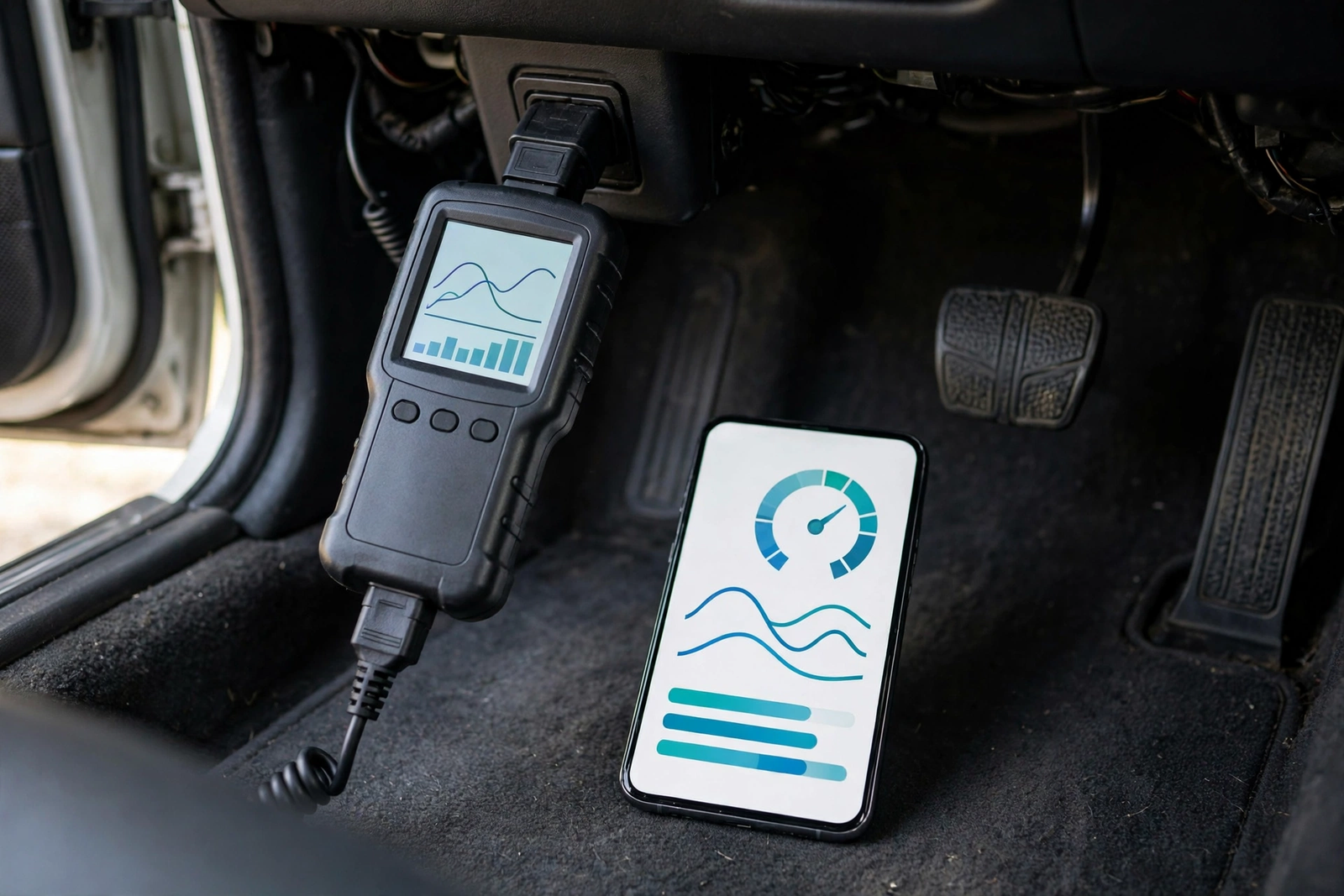
The apps are the second split, and both are free — the difference is what the app does. The Innova RepairSolutions2 app gives verified fixes, step-by-step repair instructions and direct links to the exact parts needed, per Innova, and it is optional: the 5610 works without it. The bluedriver obd2 app is the whole tool: Repair Reports, live data as graphs, gauges or digital readouts, Mode 6 test results and a smog readiness check, all free, with no subscription, no add-ons and no in-app purchases, per the listing. Every feature comes with the sensor, and there is nothing to buy after it.
The other phone-app scanner in this space is the FIXD sensor, which translates the check engine light into plain English with an optional Premium upgrade — our FIXD OBD2 scanner review covers it on its own. The practical difference is what happens when the phone is not there: the 5610 keeps working on its own screen, while a bluedriver obd2 sensor with no phone paired is a plug in a port. If you always have your phone in the car, the BlueDriver is the more convenient tool. If you want a tool that works in a glove box with no phone, the 5610 is the buy.
BlueDriver Bluetooth Pro OBDII Scan Tool on Amazon: model LSB2, over 7,000 codes, ABS and airbag coverage, free app with no subscription — confirm a live offer is showing before you order.
Live Data, Bidirectional Tests and Repair Reports
Live data and repair reports are where each tool earns its keep, and they are the features the other does not try to match. The Innova 5610 shows OBD2 and OEM live data from manufacturer-specific modules — ABS, SRS, transmission and TPMS, per Innova — and its bidirectional control lets it command components and watch the result. Paired with RepairSolutions2, it gives verified fixes for the code it found. That is the difference between knowing the code and knowing what to do about it, in a tool that needs no phone.
The bluedriver obd2 tool shows live data as a graph, a gauge or a digital readout, and it can export the log to a file. Its Repair Reports are the standout: for each code, the report gives the code definition, the possible causes and the reported fixes — vehicle-specific for each diagnostic trouble code, verified by ASE-certified technicians per the listing — and the report can be emailed as a PDF. That is the gap the bluedriver obd2 tool opens: a report you can hand a mechanic, against a handheld that can command the part. For a driver who wants to hand a mechanic a printed report, the BlueDriver is the only tool here that writes one.
Innova CarScan Pro 5610 OBD2 Bidirectional Scan Tool on Amazon: all-system scan, bidirectional tests, 3.5-inch screen, free RepairSolutions2 app — confirm a live offer is showing before you order.
Setup: Handheld Screen vs Phone Pairing
Setup is the same first step on both tools and different from there. The Innova 5610 plugs its cable into the 16-pin OBD2 port under the dashboard on the driver’s side, and the car powers it through the port — the three AA batteries are for running it off the car. The screen and buttons work at once, with no pairing and no app. Pairing over Bluetooth to the RepairSolutions2 app is optional, and it adds verified fixes and saved sessions.
The bluedriver obd2 sensor plugs into the same port, pairs with the phone over Bluetooth, and opens the app. It is vehicle-powered through the port, so there is no battery to charge and no cable to lose. The trade is dependence: the sensor does nothing without the app, and the app does nothing without the sensor. If you want a tool that works with no phone at all, the 5610 is the buy — and the entry-level Innova below is the same idea for engine codes first.
Availability: Three Listings, Three Flags
Availability is the flag this comparison carries, and it is the same flag in two shapes. The bluedriver obd2 listing’s offer evidence is the weakest in this batch: seven Amazon crawls from 177 to 288 days old, checked fresh on 2026-11-08, all showed “No featured offers available”. Earlier checks had conflicting evidence — one crawl showed a price and a mirror listing showed the sensor in stock — but the fresh search shows no live offer anywhere in the crawls. This article does not present the BlueDriver as confirmed buyable or confirmed dead: confirm a live offer is showing before you order, and if none is showing, do not order it from this listing.
The Innova side is mixed. The 5610 listing’s evidence is the freshest of the three: Amazon crawls 185 and 299 days old show it sold by DereksAuto and shipped from Amazon, and a mirror listing checked one day ago shows it in stock and fulfilled by Amazon. The Innova 5210 below carries the same flag as the BlueDriver: an Amazon crawl 201 days old showed “No featured offers available”. Confirm a live offer on every listing at the time you buy; a button that leads to a dead listing helps no one.
The Third Option: Innova 5210
The third scanner in this comparison is the Innova 5210, and it exists for the driver who wants Innova’s app and a handheld screen for engine codes first. It is an engine code reader with a battery and alternator tester: it reads and clears engine codes, shows live data, resets the oil light, and pairs over Bluetooth with the same free RepairSolutions2 app as the 5610. It does not do the 5610’s job: no all-system scan, no bidirectional tests, no diesel particulate filter regeneration and no six service functions. Same app family, same free fixes, a narrower tool.
Its offer evidence carries the same flag as the BlueDriver: an Amazon crawl 201 days old showed “No featured offers available”, so confirm a live offer is showing before you order it. For a fully wired reader with no Bluetooth at all, our ANCEL AD310 OBD2 scanner review covers the wired alternative with its own screen.
Innova 5210 OBD2 Scanner and Engine Code Reader on Amazon: engine codes, battery test, live data, oil reset, Bluetooth app — confirm a live offer is showing before you order.
Compatibility: Which Cars and Phones
Compatibility is the same promise on both tools with different edges. The Innova 5610 works on most OBD2 vehicles from 1996 to 2023, per the listing, and it supports English, Spanish and French. Optional OBD1 coverage is available with a separate cable kit. One review source notes that the 5610’s bidirectional tests work on five makes only — Chrysler, Ford, GM, Honda and Toyota — so check Innova’s coverage checker for your exact vehicle before you order. If you see an Innova 5160RS for sale, one review source says it is the same tool as the 5610 sold at different retailers, differing in colour, cable and flashlight — not a different scanner.
The bluedriver obd2 sensor works on all vehicles 1996 or newer, domestic and import, and supports all OBD2 protocols including CAN. Its enhanced codes — ABS, airbag, transmission — are limited to supported makes and model years, and the list is longest for North American vehicles. It pairs with iPhone and Android, and it works only with the BlueDriver app. Before you order either tool, check the port: look for the 16-pin connector under the dashboard on the driver’s side. No 16-pin port means no scan. BlueDriver also sells a newer Pro Next-Gen sensor; this comparison covers the original LSB2 sensor.
Who Should Buy Which Scanner
Buy the Innova CarScan Pro 5610 if: you want the deepest handheld diagnostics, bidirectional tests, all-system coverage and a screen that works with no phone — and the listing shows a live offer when you check it. Buy the BlueDriver LSB2 if: you want Repair Reports, a free app with no subscription, and the smallest tool in the glove box — and the listing shows a live offer when you check it. Buy the Innova 5210 if: you want Innova’s app and a handheld screen for engine codes and a battery test, and the listing shows a live offer. Buy none of these if: your car is a fully electric vehicle — neither tool is built for pure-EV diagnostics — or if your car has no 16-pin OBD2 port, since no scanner here works without one.
The Verdict
The bluedriver obd2 tool wins this comparison for the buyer who wants the deepest diagnosis on a phone: the BlueDriver LSB2 reads over 7,000 codes, covers ABS, airbag and transmission on supported makes, writes vehicle-specific Repair Reports you can email as a PDF, and charges no subscription ever. For a driver who wants to understand the car — not just the light — that combination is the reason to buy it, provided the listing shows a live offer when you check it.
The Innova 5610 wins for a different buyer: the driver who wants the deepest diagnosis in a handheld, with bidirectional tests, all-system coverage, six service functions and a screen that works with no phone — and the freshest offer evidence of the three listings here. For a driver who wants Innova’s app and a handheld screen for engine codes first, the 5210 is the entry-level way in. Buy the scanner that matches the question: the deepest diagnosis on a phone, the deepest diagnosis in your hand, or engine codes first. Our best OBD2 scanner for home mechanics roundup ranks the wider field if you want more options.
Innova CarScan Pro 5610 OBD2 Bidirectional Scan Tool on Amazon: all-system scan, bidirectional tests, 3.5-inch screen, free RepairSolutions2 app — confirm a live offer is showing on the listing before you order.
Frequently Asked Questions
Which is better, Innova CarScan Pro 5610 or BlueDriver?
It depends on what you want from the scan. The Innova CarScan Pro 5610 is better for the deepest handheld diagnosis: bidirectional tests, all-system coverage, six service functions and a screen that works with no phone. The bluedriver obd2 tool is better for the deepest diagnosis on a phone: over 7,000 codes, ABS and airbag coverage on supported makes, live data and vehicle-specific Repair Reports, with a free app and no subscription. For a handheld, buy the 5610; for a phone tool, buy the BlueDriver.
Does the Innova 5610 need a subscription?
No. The RepairSolutions2 app is free, and the 5610 works on its own screen and buttons with no phone at all. Free updates are included, per the listing, and there is no subscription to buy after the tool.
Does BlueDriver do bidirectional tests?
No. The bluedriver obd2 listing describes diagnostics and Repair Reports, not active or bidirectional tests. The Innova 5610 is the tool here that commands components, such as switching the fuel pump on and off or running an EVAP leak test — and one review source notes its active tests are limited to the powertrain control module.
Is the BlueDriver still available on Amazon?
The evidence says no live offer is showing. Seven Amazon crawls from 177 to 288 days old, checked fresh on 2026-11-08, all showed no featured offers available. Earlier checks had conflicting evidence, so this article does not present the BlueDriver as confirmed buyable or confirmed dead: confirm a live offer is showing on the listing before you order.
What is the difference between the Innova 5610 and 5210?
The 5610 is the all-system tool: bidirectional tests, all-system scan, six service functions and diesel particulate filter regeneration. The 5210 is the engine-code tool: it reads and clears engine codes, tests the battery and alternator, shows live data and resets the oil light. Both pair with the same free RepairSolutions2 app, and the 5210 listing also shows no live offer in its latest crawl.
Does the Innova 5610 work without a phone?
Yes. The 5610 has its own 3.5-inch screen and buttons and works standalone — the RepairSolutions2 app is optional, for verified fixes and saved sessions. It needs three AA batteries to run off the car. The bluedriver obd2 sensor does nothing without its app: the sensor and the free BlueDriver app work exclusively as a single tool.