FalconEye Electronics 2nd Generation Wireless Range Backup Camera Review
A falconeye electronics 2nd generation wireless range backup camera is built for the vehicles that factory reversing cameras ignore: box trucks, fleet trucks, and long trailers. The 2nd-generation FalconEye system pairs a heavy-duty bracket camera with a 7-inch monitor over a wireless video link the listing rates at 200-300 feet, so the picture can travel the length of a long rig without a video cable. This falconeye backup camera review covers the 2-camera kit: what is in the box, what the range claim means, how the monitor and night vision work, and where it falls short.
The short answer: if you drive a truck, a fleet vehicle, or a long trailer and need a rear view without running a video cable the length of the rig, the 2-camera falconeye backup camera is the right buy. Two cameras cover the rear and a second angle, the 7-inch monitor reads at a glance, and the FalconEye’s 200–300 ft range is shorter than the Furrion Vision S at 492 ft and the AUTO-VOX Solar4 at up to 524 ft. If you drive a car or SUV, buy a car camera instead — this is a truck and fleet system, and its bracket mount and 7-inch screen are oversized for a sedan.
As an Amazon Associate I earn from qualifying purchases.
Quick Pick: FalconEye Backup Camera
| Pick | Product | Best For | Check Price |
|---|---|---|---|
| Overall Winner | FalconEye Electronics 2nd Generation Wireless Backup Camera, 7-Inch LCD, 2-Camera System | Trucks and fleets: two cameras, 7-inch monitor, 200-300-foot wireless range | Check Price on Amazon |
| Best Single-Camera Option | FalconEye Electronics 2nd Generation Wireless Backup Camera, 7-Inch LCD, 1-Camera System | One rear view only: the same 2nd-generation system with a single camera | Check Price on Amazon |
| Best No-Drill Alternative | AUTO-VOX 2 Wireless Backup Camera Kit, 7.2-Inch Monitor, Solar Magnetic Camera | No drilling: a solar magnetic camera that sticks on and comes off | Check Price on Amazon |
Table of Contents
What the FalconEye Electronics 2nd Generation Wireless Range Backup Camera Is
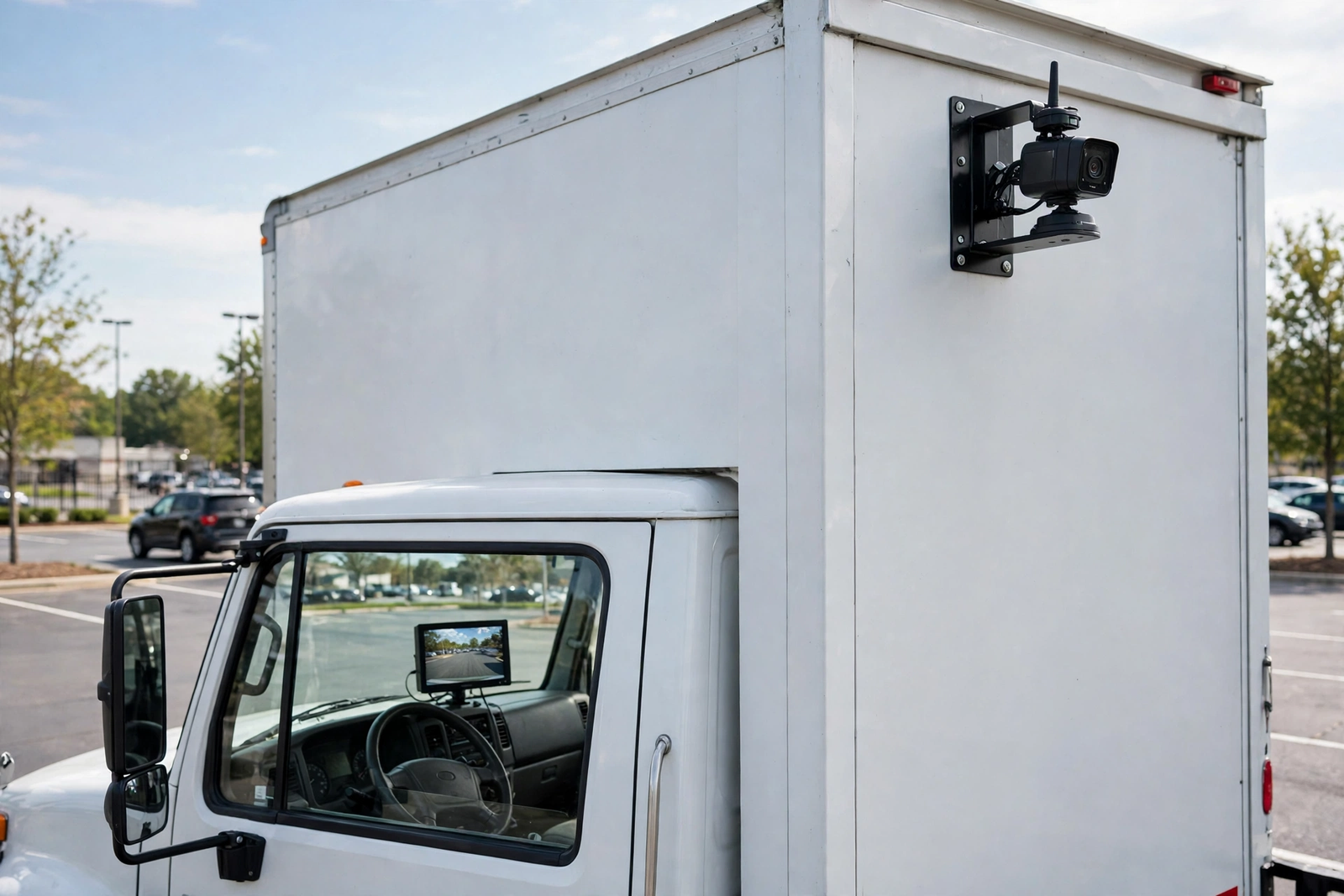
A falconeye backup camera is a wireless observation system for trucks and fleets, not a reversing camera for a sedan. The camera mounts high on the rear of the truck or trailer in a heavy-duty bracket, and a 7-inch monitor sits in the cab, so the driver can see behind the rig while reversing and in traffic. A car camera is usually wired in and only switches on in reverse; a FalconEye system travels with the truck.
The line to know in this falconeye backup camera is the 2nd generation. The falconeye electronics 2nd generation wireless range backup camera is sold in a 1-camera system and a 2-camera system, both built around the same 7-inch monitor and range claim. This review covers the 2-camera kit: two bracket cameras, one monitor, and a video link that needs no cable run the length of the vehicle. Sold by FalconEye Electronics LLC, first listed in October 2024.
Do not confuse it with the other Falcon in backup cameras. Furrion is the RV brand with the sharkfin camera that fits prepped trailers — a different company and a different mount. Our Furrion backup camera review covers the RV system; this one covers the FalconEye bracket system for trucks.
FalconEye 2nd Generation Wireless Backup Camera, 2-Camera System on Amazon: 7-inch LCD monitor, two heavy-duty bracket cameras, 200-300-foot wireless range, sold by FalconEye Electronics LLC.
Wireless Range: What 200-300 Feet Means on a Truck
The headline figure on this falconeye wireless backup camera system is its wireless range: 200-300 feet, per the listing and the manual, which calls it the effective range. That is the rated distance from the rear camera to the cab monitor. For a long rig, that distance is the whole buying decision.
Read the figure as the listing’s claim for this falconeye backup camera, not a tested result. In the real world, steel trailer walls, a loaded cargo box, and other radio signals all eat into it. Judge it against your rig: measure from the rear camera to the cab, add a margin for the metal, and plan on the lower end — on steel, the lower end is the working figure.
One more thing the range figure on this falconeye backup camera does not tell you: “wireless” describes the video link only. No video cable runs the length of the truck. The camera still needs power from the vehicle, so this is a no-video-cable install, not a wire-free one.
What Is in the Box: the 2-Camera Kit, Piece by Piece
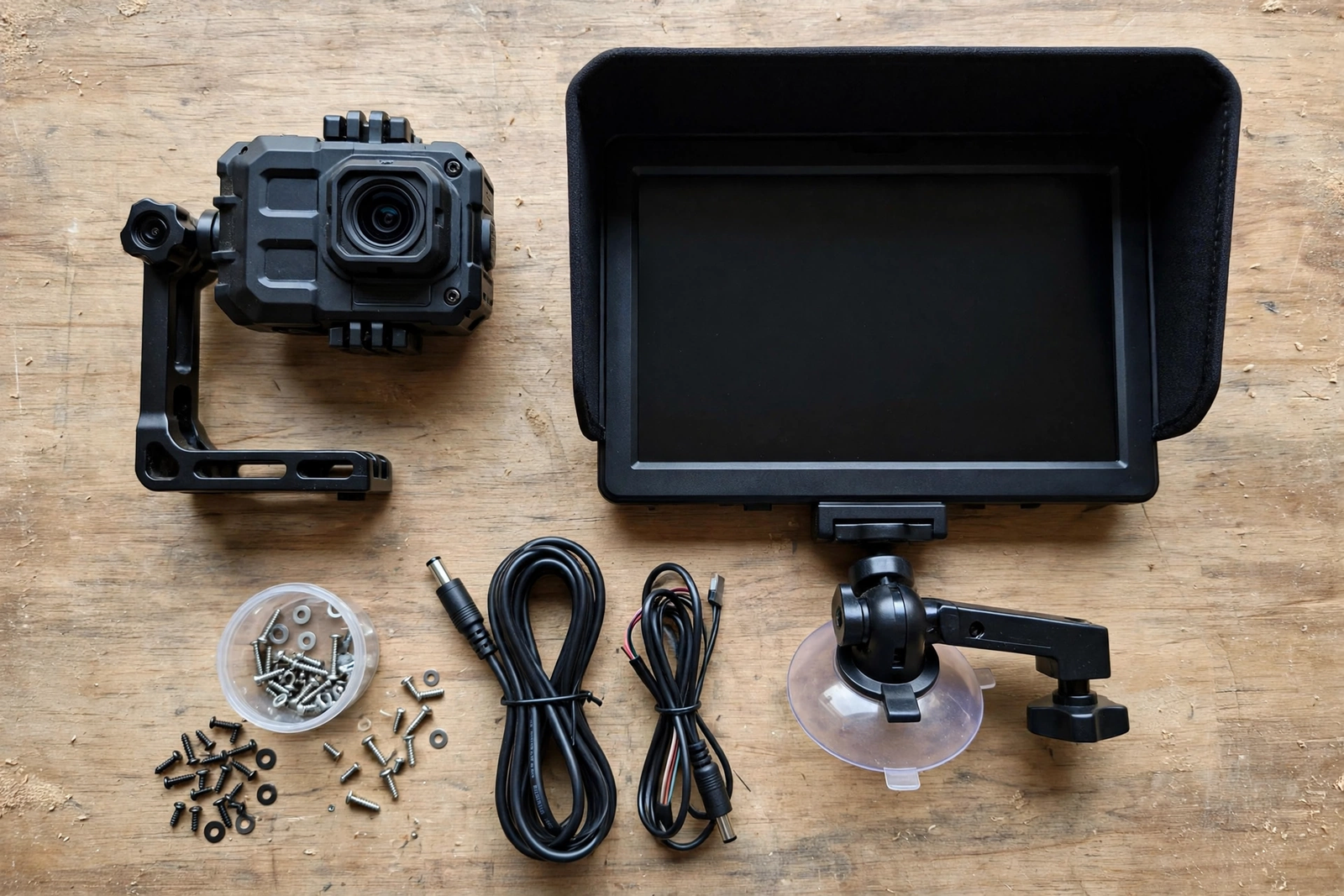
The 2-camera kit is built around two identical heavy-duty bracket cameras. Each camera in this falconeye backup camera is a digital wireless IP68 unit — dust-tight and protected against continuous immersion, the rating for a camera that lives outside in rain and road spray. The bracket bolts high on the rear of the truck or trailer, where it sees over the load.
The rest of this falconeye backup camera kit is the monitor and its mounting. The 7-inch TFT-LCD monitor has a built-in receiver and a sun shield, so the screen stays readable in a bright cab, and the monitor mounts with the Dash Mount Holder supplied in the box. One camera watches the rear; the second covers another angle — a side view or a blind spot.
The 7-Inch Monitor: Screen, Sun Shield and Extra Cameras
The monitor is the part you actually look at, so size matters more than any camera spec. At 7 inches it is big enough to read at a glance, and the sun shield keeps it readable in a bright cab. The monitor has a built-in digital receiver, so no separate receiver box is needed.
The most useful feature of this falconeye backup camera is its monitor’s capacity: per the manual, it can connect up to four cameras. The 2-camera kit uses two slots, so a fleet owner can add cameras later without a second monitor. The monitor shows cameras individually or in split-screen mode, per the manual.
Installation: Bracket Mount vs License-Plate Mount
Installing a falconeye backup camera starts with the bracket. The camera bolts high on the rear of the truck or trailer, where it sees over the load — aim the bracket before tightening, since a camera pointed at the sky helps nobody. Seal new mounting holes: water in a trailer wall causes damage no camera is worth. Then pair the cameras to the monitor — the manual covers the pairing procedure.
The bracket mount is the reason this falconeye backup camera suits trucks and not cars. A license-plate camera screws to the plate frame low on the bumper — fine on a sedan, too low and too exposed on a box truck. The FalconEye bracket sits high, out of the spray and the dock’s reach, and it stays put on a vehicle that is loaded and unloaded all day. If you cannot drill at all, the magnetic AUTO-VOX alternative in the Quick Pick sticks on instead — but on a work truck, a bolted bracket is the secure choice.
Power is the part first-time buyers forget. The camera needs a 12-volt feed, and the monitor needs cab power. Plan both runs before you mount anything: the camera feed usually comes from the rear light circuit, and the monitor runs from the cab. Wireless saved you the long video cable, not the power wiring.
Night Vision: 20 IR Lights and 35-40 Feet
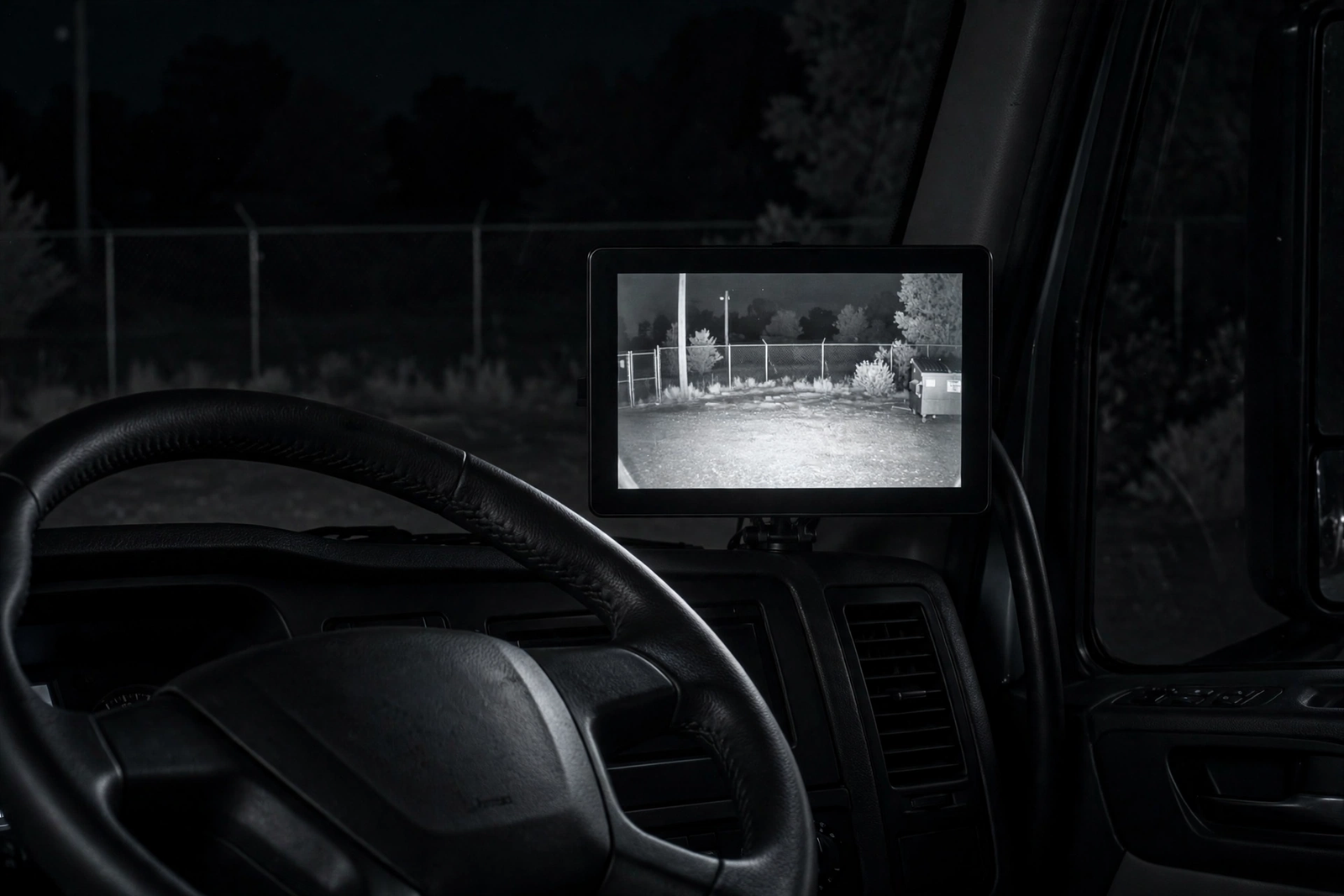
Night vision on this falconeye backup camera comes from 20 infrared lights, and the manual rates the night vision range at 35-40 feet. That covers the area directly behind the truck in the dark.
Night vision has a hard limit: infrared only reaches as far as the LEDs throw it, and the picture is black-and-white, not colour. Backing into an unlit yard will still be harder than backing in during the day. Brighter reverse lights help any camera at night — our iBrightstar 3157 LED reverse bulbs review pairs with this one for 3157 trucks.
FalconEye 2-Camera Kit vs 1-Camera Kit vs AUTO-VOX 2
The closest rival to the 2-camera falconeye backup camera is its own 1-camera sibling. The 1-camera system is the same 2nd-generation line — same monitor, same range claim, same IP68 bracket camera — with one camera instead of two. The manual lists the camera at 720p HD, with 20 IR lights and the same 35-40-foot night vision. Buy the 1-camera kit for one rear view only; buy the two-camera kit now if you want a second camera — the listing gives no separate add-on camera price.
The AUTO-VOX 2 is the different idea: a solar magnetic camera with a 7.2-inch monitor, listed for trucks, RVs, and trailers. The camera sticks to metal with a magnet, charges from its solar panel, and the kit includes a white metal plate for non-metal RVs. No drilling, and the camera comes off in seconds to move between vehicles. The trade is security: a magnet can be knocked off, and a solar camera needs light to stay charged. For a rental or a trailer you cannot drill into, it is the practical pick; for a truck you own, the bolted bracket is secure. To compare these three with the wider field, read our best backup cameras roundup.
| Spec | FalconEye 2-Camera (B0DJC24KYF) | FalconEye 1-Camera (B0DJC2T4CT) | AUTO-VOX 2 (B0FWJM7PLR) |
|---|---|---|---|
| System | 2nd generation, 2 cameras | 2nd generation, 1 camera | Solar magnetic, 1 camera |
| Monitor | 7-inch TFT-LCD, sun shield, built-in receiver | 7-inch TFT-LCD, sun shield, built-in receiver | 7.2-inch monitor |
| Wireless range | 200-300 feet, per listing and manual | 200-300 feet, per manual | Not stated in the listing title — confirm before buying |
| Camera | IP68 heavy-duty bracket, HD | IP68 heavy-duty bracket, 720p HD | Solar magnetic camera |
| Night vision | 20 IR lights, 35-40 feet per manual | 20 IR lights, 35-40 feet per manual | Night vision listed — range not stated in the title |
| Mounting | Bolted bracket | Bolted bracket | Magnetic, with white metal plate for non-metal RVs |
| Max cameras on monitor | Up to 4 | Up to 4 | Not stated in the listing title — confirm before buying |
| Best for | Trucks and fleets needing two views | One rear view on a truck or trailer | No-drill installs and shared vehicles |
FalconEye 2nd Generation Wireless Backup Camera, 1-Camera System on Amazon: 7-inch LCD monitor, one IP68 heavy-duty bracket camera, 720p HD, 20 IR lights, 200-300-foot wireless range.
When a Wireless Truck Camera Is the Wrong Buy
A wireless falconeye backup camera is the right tool for a long vehicle with no factory camera. If you drive a car or SUV, this system is oversized: the bracket has nowhere sensible to bolt, and the 7-inch monitor eats dashboard space. Buy a license-plate car camera instead.
Skip wireless entirely if the vehicle already has a factory camera, or if the job is a short run where a wired camera is cheaper and its picture never drops. Wireless earns its keep on long rigs; on a short vehicle the cable is a ten-minute job. If the truck already has a working rear camera, fix that one first.

Common Mistakes That Ruin a Wireless Backup Camera Install
First, mounting the falconeye backup camera too low: a bracket camera at bumper height on a box truck sees the bumper, not the dock — mount it high and aim it down. Second, skipping the pairing step — pair the camera first, check the picture, then bolt it down. Third, forgetting the power plan: discovering the camera needs a 12-volt feed after the bracket is on means doing the job twice. Fourth, judging the picture in the driveway and never testing it loaded at speed — metal and cargo change the signal. Fifth, buying the 1-camera kit for a rig that needs two views. Sixth, never checking the aim again: vibration loosens brackets, and a camera that has drifted skyward tells you the way is clear when it is not.
Who Should Buy a FalconEye Backup Camera
Buy the FalconEye 2-camera kit if: you drive a box truck, a fleet truck, or a long trailer and need a rear view plus a second angle without running a video cable.
Buy the FalconEye 1-camera kit if: one rear view is enough and you want the same system, monitor, and range claim with a single camera.
Buy the AUTO-VOX 2 if: you cannot drill into the vehicle, you share it, or you want the camera to move between rigs.
Skip all three if: you drive a car or SUV, your vehicle already has a working rear camera, or the run is short enough for a wired camera.
Whichever falconeye backup camera you buy, match it to the vehicle first.
The Verdict
A falconeye backup camera earns its place on a truck because the range claim solves the real problem: a picture from the back of a long vehicle to the cab without a video cable. The 2-camera kit is the one to buy: two IP68 bracket cameras, a 7-inch monitor with a sun shield, up to four cameras on one monitor, and the 200-300-foot range claim. The limits are honest: wireless means the video link, not the power, and the range is the listing’s claim — judge it against your rig’s length.
Measure the run from the rear camera to the cab, mount the bracket high, pair before you bolt it down, and test the picture loaded and at speed.
FalconEye 2nd Generation Wireless Backup Camera, 2-Camera System on Amazon: 7-inch LCD monitor, two heavy-duty bracket cameras, 200-300-foot wireless range, sold by FalconEye Electronics LLC.
Frequently Asked Questions
What is the FalconEye Electronics 2nd Generation Wireless Range Backup Camera?
It is a falconeye backup camera system for trucks and fleets, sold in 1-camera and 2-camera kits built around a 7-inch LCD monitor. The camera is a digital wireless IP68 heavy-duty bracket camera, the monitor carries a built-in digital receiver and a sun shield, and the listing rates the wireless range at 200-300 feet. It is a truck and fleet system, not a reversing camera for a car or SUV.
How far does the FalconEye backup camera reach?
The listing and the user manual rate the wireless range at 200-300 feet, described as the effective range. That is the listing’s claim, not a tested result: steel trailer walls, a loaded cargo box, and other radio signals can shorten it. Measure the distance from the rear camera position to the cab, add a margin for the metal in between, and plan on the lower end of the range for a long rig.
Is the FalconEye backup camera truly wireless?
The video link is wireless: no video cable runs from the camera at the rear to the monitor in the cab. The camera still needs power from the vehicle, and the monitor needs cab power, so this is a no-video-cable install, not a wire-free one. Plan both power runs before you mount the bracket.
Can I add more cameras to the FalconEye system later?
Yes. Per the user manual, the 7-inch monitor can connect up to four cameras, so the 2-camera kit leaves two slots free for a third or fourth camera, such as a side camera on a long trailer. The FalconEye shows cameras individually or in split-screen mode, per the manual.
Does the FalconEye backup camera work at night?
Yes, within limits. The camera carries 20 infrared lights, and the user manual rates night vision at 35-40 feet. That covers the area directly behind the truck in the dark, and the picture is black-and-white infrared rather than colour. Brighter reverse lights help any camera at night, including this one.
FalconEye 2-camera kit vs 1-camera kit — which should I buy?
Buy the 2-camera falconeye backup camera if you want a second view as well as the rear — a side angle, a blind spot beside the trailer, or a second rear position on a wide rig. Buy the 1-camera kit if one rear view is enough: it is the same 2nd-generation system, the same 7-inch monitor, the same 200-300-foot range claim, and the same IP68 bracket camera, with one camera instead of two. Buy the two-camera kit now if you want a second camera — no separate add-on camera price is published.