Most adapters that make CarPlay wireless start with the iPhone. The AAWireless TWO+ starts somewhere else: it comes from a company built around Android Auto, and it is its first adapter that also handles CarPlay. That history shapes the whole product: the companion app is deep, the Android side is the priority, and the CarPlay side is a genuine second mode rather than the reason the device exists.
In this review of the AAWireless TWO+ carplay adapter, we cover what the adapter does, how setup and the app work, what the button adds for shared cars, and how each mode performs — including the honest limits CarPlayLife found in hands-on testing. We also compare it with the CarlinKit Mini Ultra 3 and the OTTOCAST Mini Cube 3.0, the two rivals most buyers shortlist. If you want the short version first, the Quick Pick table below has it.
As an Amazon Associate I earn from qualifying purchases.
| Pick | Product | Why it stands out | Check Price |
|---|---|---|---|
| Overall Winner | AAWireless TWO+ | Android-Auto-first 2-in-1 adapter with a button that switches phones in one tap | |
| Best Budget | CarlinKit Mini Ultra 3 | Tiny 25 mm adapter with a 10-second boot in CarPlayLife’s hands-on test | |
| Premium Pick | OTTOCAST Mini Cube 3.0 | 2026 2-in-1 adapter with a 10-second connection and 5-second auto-reconnect |
Table of Contents
What the AAWireless TWO+ CarPlay Adapter Is — and the Android-Auto-First Difference
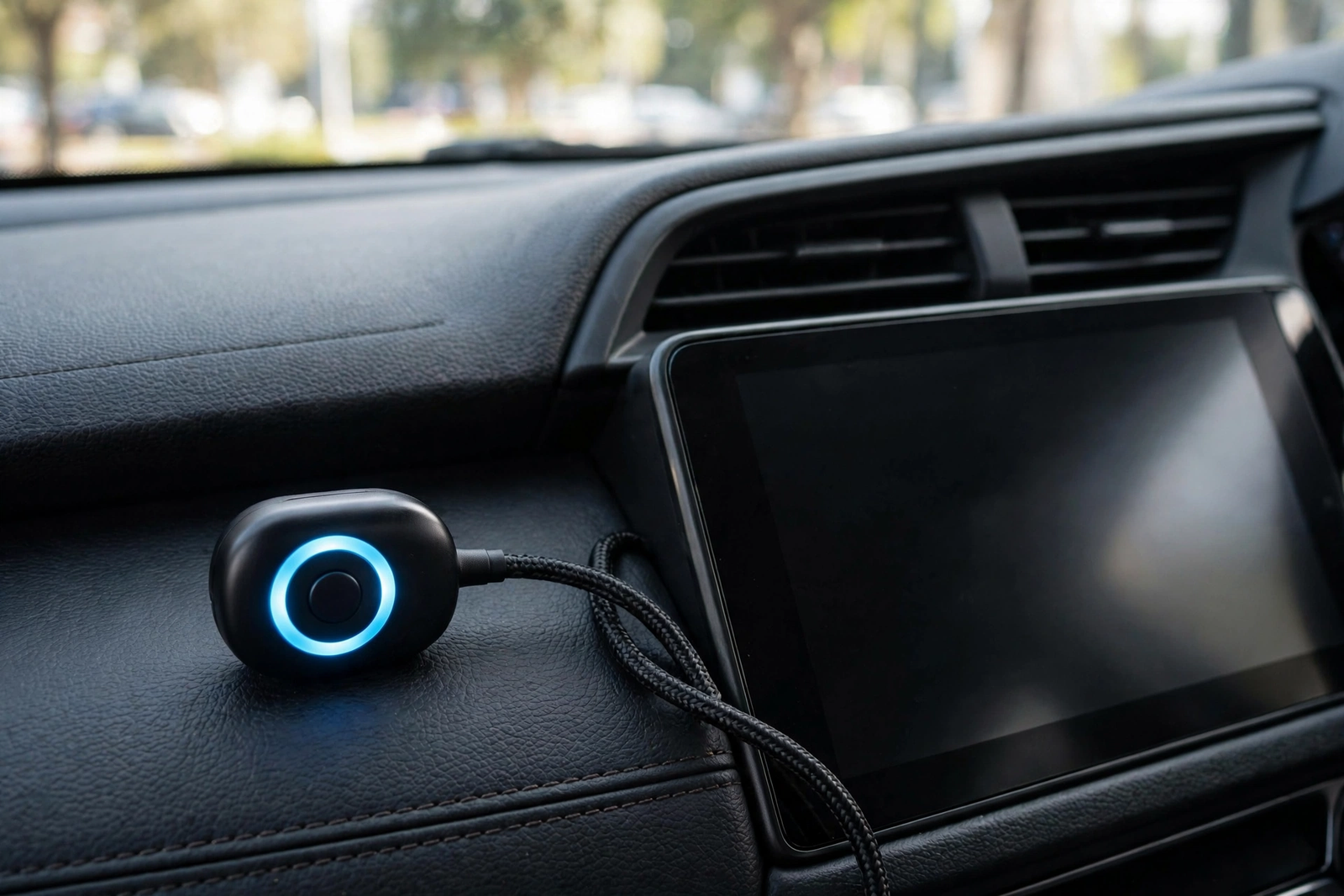
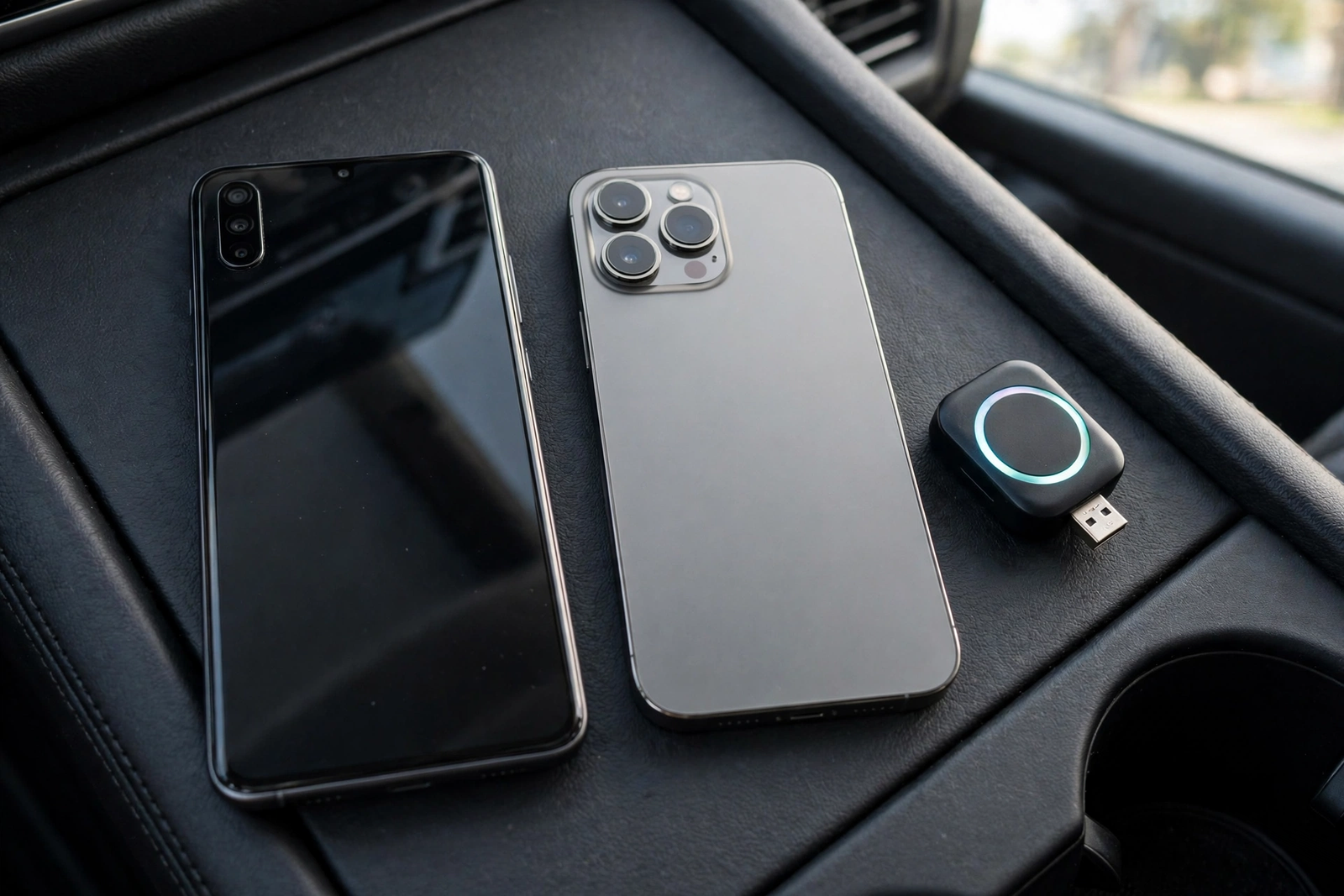
The AAWireless TWO+, model A2BP, is a 2-in-1 adapter made in Europe. It plugs into your car’s USB port and turns wired Android Auto and wired CarPlay wireless. It measures 5.5 x 3.5 x 1.5 cm, weighs 18 g, and has a USB-C interface with a USB-C-to-USB-A cable in the box. Instead of a rigid plug-in stick, it uses a short braided cable you can tuck out of the way — and replace if it ever fails.
The Android-Auto-first part matters: AAWireless built its name on Android Auto — the earlier TWO is an android auto adapter with no CarPlay at all — and the TWO+ adds CarPlay for households that run both systems. If you only use an Android phone, AAWireless itself says the TWO is the right choice; the TWO+ is for drivers whose car supports both wired systems and who want one device for both. That is the buying decision in one sentence.
The compatibility check comes first. The TWO+ only works if your car already has factory wired Android Auto or wired CarPlay. AAWireless suggests the cable test: if Android Auto or CarPlay starts when you plug in, the adapter can make that connection wireless. If your car already connects wirelessly, you do not need an adapter at all. One listing detail needs care: the Amazon title says the adapter suits iOS 10 and above, while AAWireless’s own FAQ requires an iPhone X or newer for CarPlay and Android 11 or higher for Android Auto — follow the maker.
AAWireless covers adapters bought through Amazon or its webshop with a 2-year warranty, with orders withdrawable within 30 days of receipt — confirm the terms on the live listing before you order.
Setup: Plug In, Pair, and the Companion App
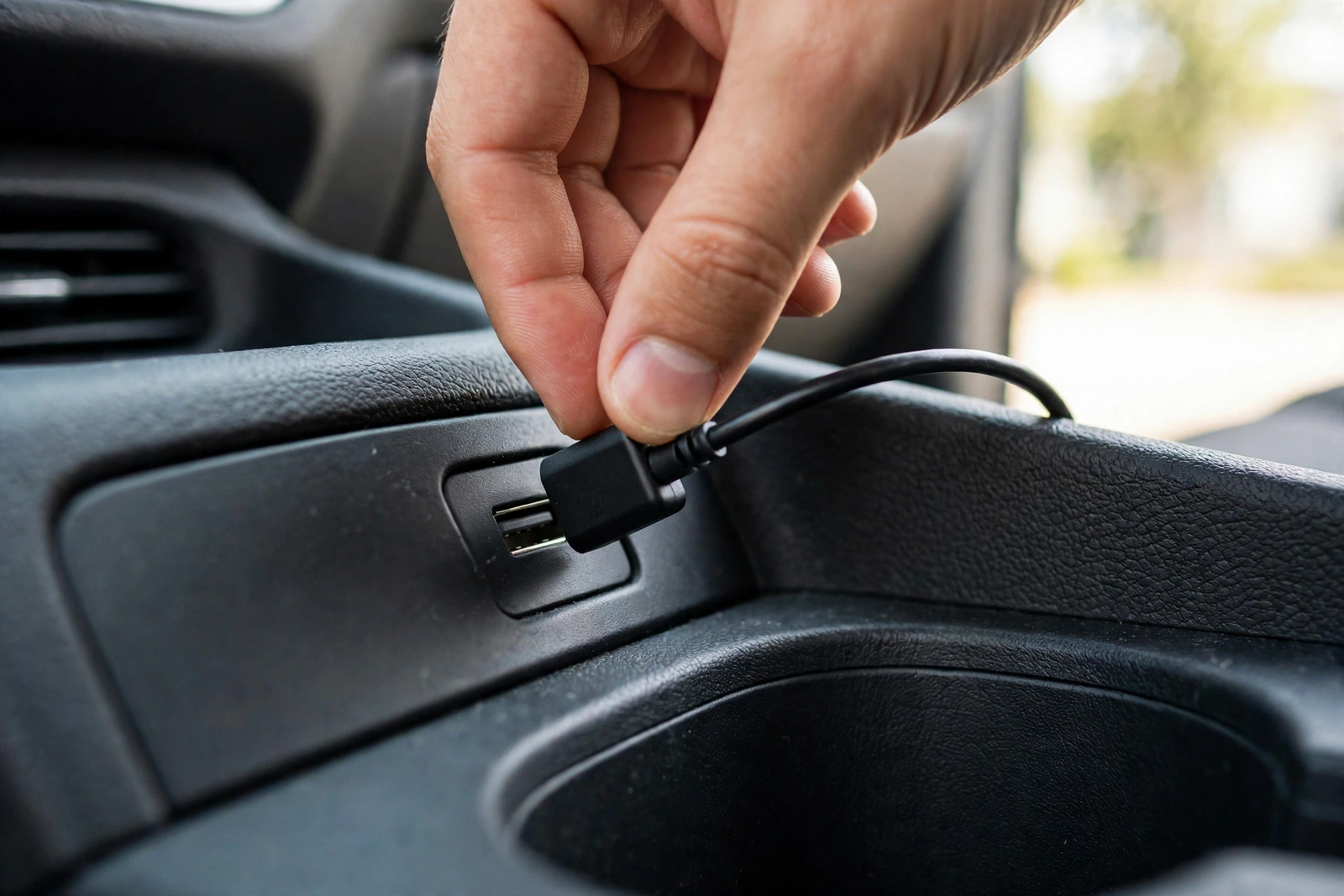
Setup is plug and play, in AAWireless’s own words. Plug the adapter into your car’s USB port with the included cable, pair your phone once through the AAWireless app or over Bluetooth, and after that everything happens automatically. It works in two steps: Bluetooth passes the Wi-Fi details to the phone, then everything switches to Wi-Fi for video and audio, with Bluetooth staying in the loop for calls.
The companion app is where the TWO+ pulls ahead of simpler adapters. It handles firmware updates over the air — CarPlayLife found they apply cleanly, without breaking the pairing — and it manages paired devices, device priority and button settings. It also adjusts Wi-Fi channels, the audio stutter fix, LED brightness and standby mode, plus compatibility fixes for specific brands, including picky Mercedes MBUX and Honda systems.
AAWireless’s own support pages add one practical note: if an update keeps failing, use stable power from a wall outlet, a data-capable cable, the latest app version, and no VPN — reviewers stress updates most, since the latest firmware avoids the glitches behind most early complaints.
The Multifunction Button and Multi-Phone Switching
What sets the TWO+ apart is the physical button built into its LED ring. The casing has a matte finish with a glowing LED status ring, and the button handles pairing, switching devices and resetting the adapter. CarPlayLife called the multi-user switching the smoothest and most reliable it had tested on this kind of device.
With several phones paired — AAWireless says you can pair an unlimited number — one press switches to the next phone in the list. A double-press jumps directly to a specific phone, and a long-press enables standby or resets the adapter. In CarPlayLife’s test, switching between two phones in the car took between 9 and 30 seconds, with no Bluetooth toggling or Wi-Fi disabling.
That is the TWO+’s real audience: shared cars, where two drivers get a one-tap handover instead of a re-pairing ritual, while a single-driver car gains little from the button.
Android Auto First, CarPlay Second: How Each Mode Performs
As a wireless android auto adapter, the TWO+ is in its home territory: it turns wired Android Auto wireless the same way it handles CarPlay, and Android Auto keeps using Bluetooth for calls. The app’s vehicle-specific fixes and Wi-Fi channel settings exist largely for this side of the product. This is the mode the company built first, and the app support shows it.
One honest wrinkle, from CarPlayLife’s hands-on test: in the reviewer’s Cupra Born, Android Auto was inconsistent, because the car already supports native wireless CarPlay and Android Auto, which created conflicts launching Android Auto through the adapter — connection loops. The reviewer was clear this looked vehicle-specific: on a portable display the TWO+ booted into Android Auto in about 12 seconds, with responsive navigation and smooth input lag. If your car already has native wireless Android Auto, you do not need an adapter anyway — but it is worth knowing before you buy.
On CarPlay, the TWO+ is a solid second mode rather than the star: in CarPlayLife’s test, touch was smooth, audio clear, call quality excellent, and steering wheel controls worked perfectly for track skipping and calls. One limitation: navigation passthrough to the digital cluster or head-up display did not work for Apple Maps or Google Maps in the test vehicle, although GPS positioning itself worked fine. That is a car-and-adapter interaction, not a universal defect — but it matters if you lean on cluster directions.
Speed, Stability, and Heat
Speed is the TWO+’s weakest headline: in CarPlayLife’s test, boot time averaged around 26 seconds from engine start to CarPlay being ready — slower than some competitors, though the connection was stable once it arrived. The Bluetooth profile was available very quickly, one of the fastest tested, but the pairing step after that let the overall speed down. On a portable display, Android Auto booted in about 12 seconds.
Stability is the stronger half: the connection held steady, touch stayed smooth, and audio stayed clear. The app’s Wi-Fi channel settings and audio stutter fix help in a noisy radio environment, and firmware updates arrive without breaking existing pairings — a small thing that matters when an update goes wrong.
Heat is where the TWO+’s design pays off: after 40 minutes of use, CarPlayLife measured surface temperatures around 31 degrees Celsius — impressively cool next to smaller adapters that run uncomfortably hot. The short braided cable helps: the body sits clear of the hot USB socket, with air moving around it. The casing does not look particularly premium, in the reviewer’s words, but it feels solid and functional — and a cool adapter stays reliable on long summer drives.
One thing the TWO+ does not do is charge your phone: there is no passthrough charging, so the adapter carries data only and your phone’s battery drains unless you charge it another way. AAWireless sells a separate product, the AAWireless CHARGE, that works alongside the TWO or TWO+ to keep a phone powered — a charger, not a replacement. If one cable that both connects and charges matters, plan a separate charger for the second USB port or the 12V socket.
AAWireless TWO+ vs the Alternatives (CarlinKit Mini Ultra 3, OTTOCAST Mini Cube 3.0)
The CarlinKit Mini Ultra 3 is the speed pick: about the size of a coat button — roughly 25 mm across — it booted into the CarPlay menu in about 10 seconds in CarPlayLife’s test, with an iPhone connecting in about 7 seconds and an Android phone in about 11. It runs on a dual-core processor with Bluetooth 5.4 — read the CarlinKit Mini Ultra 3 review for the hands-on detail. Against the TWO+ it wins on size and boot time and loses on multi-phone switching: with no button, a shared car means re-pairing or manual switching.
The OTTOCAST Mini Cube 3.0 is the 2026 premium alternative: a 2-in-1 adapter that connects in 10 seconds and auto-reconnects in 5, on 5GHz Wi-Fi and Bluetooth, and about 50% smaller than typical adapters. It works with 98% of wired CarPlay and Android Auto vehicles, excluding BMW and Tesla, and against the TWO+ it wins on connection speed and size while losing the button and the deep companion app. One flag: every crawl of its Amazon listing in our research showed “No featured offers available” — confirm it is in stock before you order, since an adapter you cannot buy is not an alternative.
The TWO+ is the shared-car pick, the Mini Ultra 3 the speed and size pick, and the Mini Cube 3.0 the newest design with the quickest reconnect — when in stock. All three need a car with factory wired carplay and android auto, so the compatibility check comes first.
Who Should Buy It — and Who Should Skip It
Buy the AAWireless TWO+ if your car is shared between two or more drivers, especially a mixed Android-and-iPhone household. The one-tap switching is the reason this adapter exists, and the app’s device priority, Wi-Fi channels and vehicle-specific fixes give you tuning no simpler adapter offers. It also suits Android-first drivers, and anyone whose adapter lives in a hot cabin.
Skip it if you want the fastest boot: the Mini Ultra 3’s 10-second boot beats the TWO+’s 26 seconds. Skip it too if your car has no factory wired CarPlay or Android Auto, or if it already connects wirelessly on its own — no adapter can add what the car never had. And skip it if you need the adapter to charge your phone: the TWO+ carries data only, so budget a separate charger. For a single iPhone driver who never shares the car, the button is a feature you will never press.
Verdict
The AAWireless TWO+ carplay adapter is the shared-car specialist here: an Android-Auto-first 2-in-1 adapter, model A2BP, with a button that switches phones in one tap, a deep companion app, cool running temperatures and a stable connection once up. Its limits are equally clear: a 26-second boot to CarPlay in CarPlayLife’s test, no navigation passthrough to the cluster in that test car, Android Auto quirks in cars with native wireless, and no charging from the adapter. Accept those four facts and this is the best adapter here for a shared car; if any is a deal-breaker, the Mini Ultra 3’s speed or the Mini Cube 3.0’s reconnect are the honest next step.
Frequently Asked Questions
Will the AAWireless TWO+ work in my car?
Only if your car already has factory wired Android Auto or wired CarPlay. The adapter converts your car’s existing wired connection to wireless — it cannot add Android Auto or CarPlay to a car that never had it. Test it with a cable first: plug your phone in, and if Android Auto or CarPlay starts, the adapter can make that connection wireless. If your car already connects wirelessly on its own, you do not need an adapter at all.
Does it work with both Android and iPhone?
Yes. The TWO+ is a 2-in-1 adapter that makes both wired Android Auto and wired CarPlay wireless in one device, and you can pair an unlimited number of phones. It requires Android 11 or higher for Android Auto, or an iPhone X or newer for CarPlay. If you only use Android phones, AAWireless says the cheaper AAWireless TWO — Android Auto only — is the right choice.
How do I switch between two phones?
Press the multifunction button built into the adapter’s LED ring. A single press switches to the next phone in the pairing list, a double-press can be configured to jump directly to a specific phone, and a long-press can enable standby or reset the adapter. In CarPlayLife’s test, switching between two phones in the car took between 9 and 30 seconds, with no Bluetooth toggling or Wi-Fi disabling.
Does the AAWireless TWO+ charge my phone?
No. The adapter carries data only and has no passthrough charging, so your phone’s battery drains as you drive unless you charge it another way. AAWireless sells a separate product, the AAWireless CHARGE, that works alongside the TWO or TWO+ to keep a phone powered while you drive — it is a charger, not a replacement for the adapter.
How long does it take to connect?
In CarPlayLife’s hands-on test, boot time averaged around 26 seconds from engine start to CarPlay being ready, which is slower than the CarlinKit Mini Ultra 3’s 10-second boot. On a portable display, Android Auto booted in about 12 seconds. The Bluetooth profile was available very quickly, but the pairing step after that slowed the overall connection down.
Should I buy the AAWireless TWO+ or the CarlinKit Mini Ultra 3?
Buy the AAWireless TWO+ if your car is shared between two or more drivers: the multifunction button switches phones in one tap, and the companion app offers device priority, Wi-Fi channel settings and vehicle-specific fixes. Buy the CarlinKit Mini Ultra 3 if you want the fastest start to your drive — about a 10-second boot and a 7-second iPhone connection in CarPlayLife’s test — in a body about the size of a coat button. Both need a car with factory wired CarPlay or Android Auto.