Disclosure: This post contains affiliate links. If you make a purchase through these links, we may earn a commission from Amazon at no extra cost to you. As an Amazon Associate I earn from qualifying purchases.
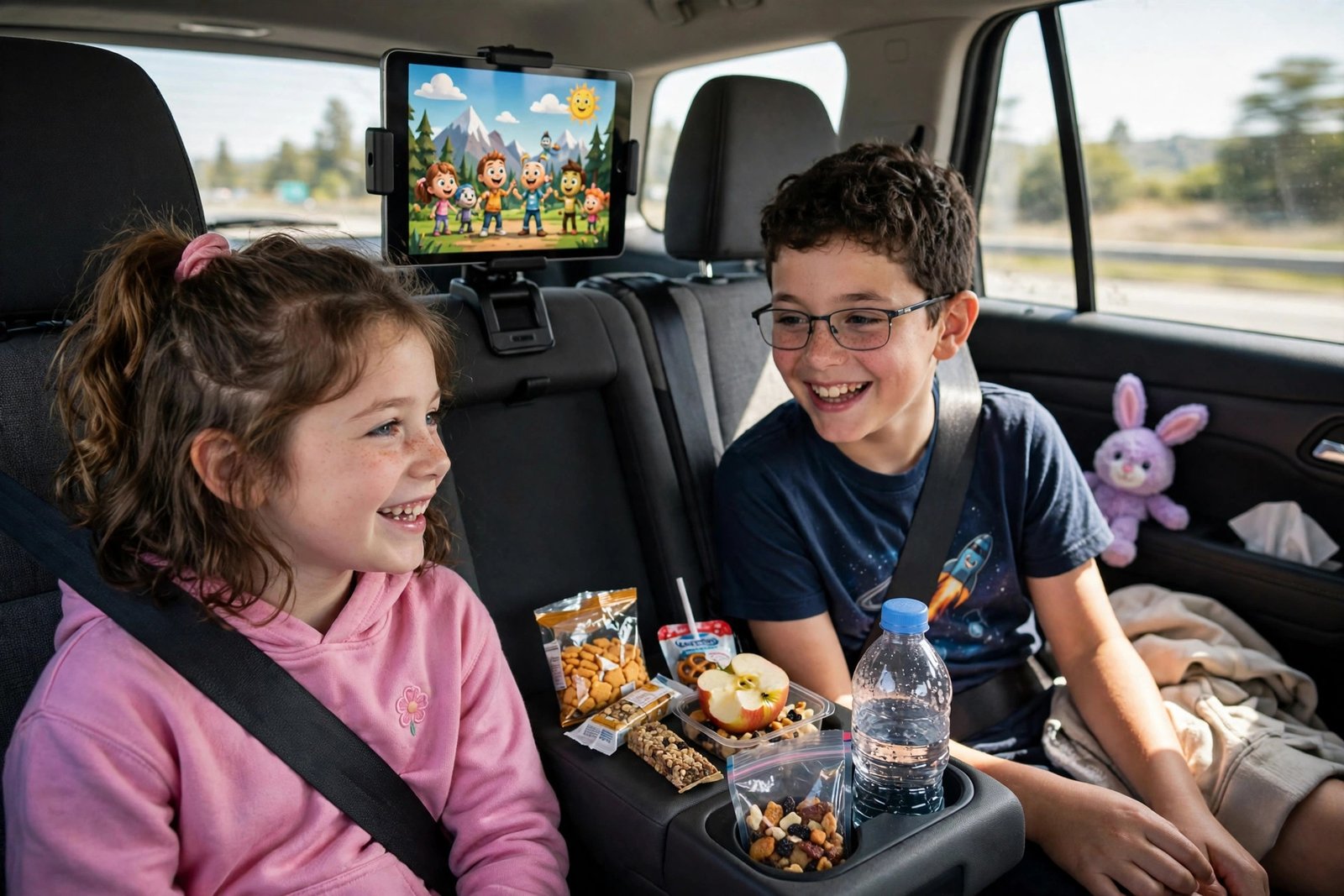
A holiday drive changes the moment the kids run out of things to do. The movie downloads are ready, the headphones are charged — and then a tablet slides off the seat at the first on-ramp and the back seat turns into a referee zone for the next four hours. The fix is not more screen time; it is the best back seat entertainment for kids road trips set up correctly: a screen mounted at eye level, power within reach, and a system that keeps the rest of the cabin calm. This guide covers four verified products that do exactly that — headrest tablet holders that survive kid-level abuse and a back-seat organizer that keeps the whole entertainment kit in one place — plus the setup habits that make them work on real holiday drives.
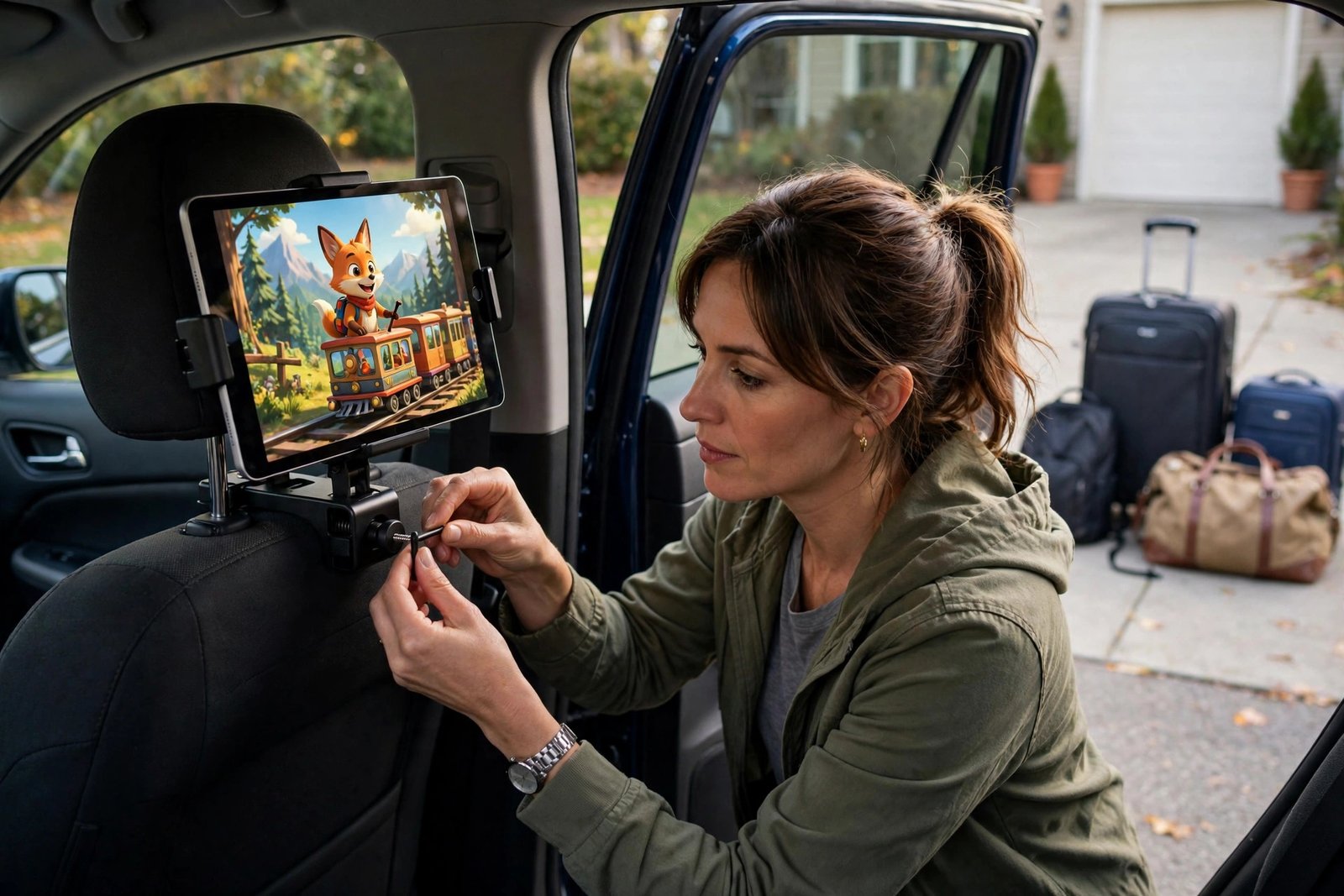
Everything below is aimed at one outcome: the kids stay entertained in their seats and you keep your eyes on the road. None of these mounts needs tools, and all of them come off the headrest in seconds when the trip is over.
Quick Picks: Back-Seat Entertainment for Kids
| Pick | Product | Key Spec / Best For | Check Price |
|---|---|---|---|
| Overall Winner | Lamicall Headrest Tablet Holder, Thick-Case Friendly | Deep clamp fits tablets in cases up to 1 inch thick — most secure all-rounder | Check Price on Amazon |
| Best Budget | Tryone Car Headrest Tablet Holder | Long-running budget pick with 360-degree rotation for 4.7 to 12.9-inch devices | Check Price on Amazon |
| Premium Pick | Lamicall Headrest Tablet Holder, 3-in-1 Extension Arm | Lockable clamp and extension arm so two kids can share one screen | Check Price on Amazon |

Quick Verdict: Best Back-Seat Entertainment for Kids Road Trips at a Glance
| Product | Best for | Price |
|---|---|---|
| Lamicall Headrest Tablet Holder (Thick-Case Friendly) | Best for tablets that live in chunky kid-proof cases | Check Price |
| Tryone Car Headrest Tablet Holder | Best for a simple, affordable mount that just works | Check Price |
| Lamicall Headrest Tablet Holder (3-in-1 Extension Arm) | Best for sharing one screen between two kids | Check Price |
| SURDOCA Car Seat Organizer with 11-Inch Tablet Holder | Best for keeping tablets, snacks and toys in one organized panel | Check Price |
What separates a good tablet holder for car kids from a bad one is not the screen angle — every mount on this list rotates. It is what happens at mile 200, when a tablet in a thick kid case is hanging off it, the road gets rough, and small hands are grabbing the screen. The four picks below were chosen from the current back-seat entertainment conversation — specialist roundups and family-travel coverage — for exactly that scenario.
1. Lamicall Headrest Tablet Holder (Thick-Case Friendly) — Best All-Around Mount
The Lamicall Headrest Tablet Holder, Thick-Case Friendly edition earns the top slot for one reason: it is the mount built for the tablet your kids actually own. Its deep, wrap-around clamp accepts devices wearing cases up to about an inch thick, so you never have to peel off the kid-proof case to get the tablet into the holder — the exact step that means a mount gets left in the drawer. The strap system fits almost any headrest, 360-degree rotation handles the landscape-to-portrait switch for movies versus games, and the whole thing installs tool-free in well under a minute.
Specialist tablet-mount coverage singles out this Lamicall as the easiest all-around pick for rear-seat setups: the metal-where-it-counts clamp does not wobble on rough roads, and spring-loaded grips with anti-slip pads hold the tablet without scratching it. The only real limitation is shared with every headrest mount: it needs headrest posts to clamp to, so cars with integrated, non-removable headrests are out.
2. Tryone Car Headrest Tablet Holder — Best Budget Mount
The Tryone Car Headrest Tablet Holder has been the value pick in back-seat mount roundups for years, and it is still the one to buy when you want a simple, proven mount without overthinking it. It clamps to the headrest posts, holds devices from 4.7 to 12.9 inches — phones, tablets and even a Switch — and rotates 360 degrees so kids can set their own angle. The rubber-lined sprung clamps double as a phone holder, which is a genuinely useful fallback when the tablet battery dies and a teenager wants to keep texting.
Its honest trade-off is reach: unlike the extension-arm mounts, it holds the tablet close to the headrest, which is fine in compact cars where kids sit close anyway but less ideal in roomy SUVs where the screen can feel far away. British group-test coverage gave it 4.5 out of 5 and specifically moved it up the rankings as the affordable twin of a pricier rival — the same mount, less markup.
3. Lamicall Headrest Tablet Holder (3-in-1 Extension Arm) — Best for Two Kids Sharing
The Lamicall 3-in-1 Extension Arm model is the answer to the oldest back-seat conflict: two kids, one screen. Its twistable extension arm pulls the tablet out and toward the middle of the back seat, or angles it so both kids can watch comfortably, instead of parking the screen in front of just one child. The clamp is lockable and the crossbar is metal, with deeper hooks and anti-slip rubber pads — the build quality that shows up when the road gets rough and little hands yank the screen. It holds devices from 4.7 to 13 inches and installs in seconds with no tools.
Parent-focused coverage credits this mount with more than ten thousand parent ratings at a strong average, and the verdict is consistent: it survives kicks, yanks and full meltdowns without dropping the tablet. Set the arm position before you leave — mid-drive adjustments are a distraction — and preload the movie or game the kids agree on. If your road trip entertainment for toddlers and kids involves sharing rather than one screen each, the extension arm is the feature worth paying for; nothing else on this list moves the screen toward the middle of the bench.
4. SURDOCA Car Seat Organizer with 11-Inch Tablet Holder — Best Organizer Combo
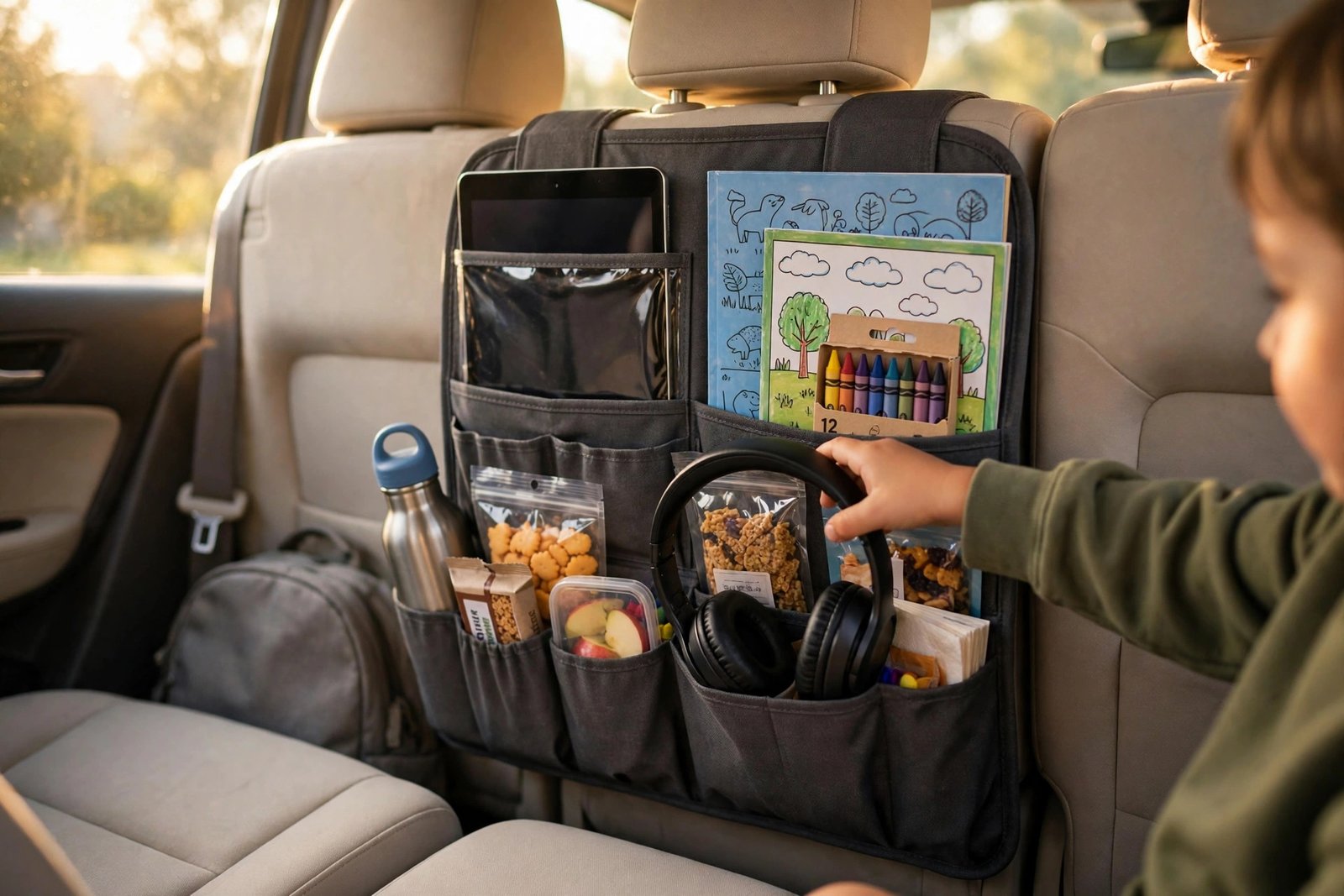
The SURDOCA Car Seat Organizer with 11-Inch Tablet Holder plays a different game from the clamp mounts: it turns the back of the front seat into an entertainment station. The centerpiece is a clear, touch-friendly sleeve that holds a tablet up to 11 inches so kids can watch through it, surrounded by eight pockets that swallow headphones, snacks, water bottles, books and the charging cable that would otherwise vanish between seats. Made from reinforced 600D Oxford nylon, it doubles as a kick mat that protects the seatback from small shoes — the quiet benefit every parent notices after the first long drive.
Family-travel roundups rate it among the best back-seat organizers for kids precisely because of this combination: the tablet sleeve keeps the device upright at a kid-friendly angle while the pockets keep the whole entertainment kit organized in one panel. One honest caveat from owners: treat the sleeve as the load-bearing part — wipe it clean and do not force an oversized device into it, or it will cloud and stretch. Our family car seat organizer guide covers more organizer-only picks if storage is the priority.
How to Set Up Back-Seat Entertainment That Actually Lasts the Drive
Buy the mount, then do these five things the night before. First, fit the mount in the driveway and let each kid set their own angle — doing it mid-drive means you twisting around while the car is moving, which is exactly what the mount exists to prevent. Second, download everything: movies, games and audiobooks stored locally, because the dead zone between the interstate and grandma’s house will find your streaming queue. Third, run the charging cable before the trip — a mount without power is a countdown timer, and back-seat USB ports or a long cable from the console keeps the screen alive; our road-trip accessories guide covers charging setups that reach the back seat.
Fourth, give each kid headphones. Back-seat audio wars — one kid’s cartoon bleeding into the other’s game — are the second-most common back-seat conflict after screen sharing, and cheap wired earbuds survive kids better than anything Bluetooth. Fifth, pack a non-screen fallback in the organizer pockets: coloring books, a window-cling game, or snacks timed to the route. The mount handles the long boring stretches; the fallback handles the ten minutes of fussiness that no screen can fix. Together they make the whole drive feel planned instead of survived.
Common Back-Seat Entertainment Mistakes to Avoid
- Mounting the tablet where the driver can see it — keep the screen below the rear window line and out of your sightline.
- Letting kids hold the tablet loose on their laps for hours — necks crane down, and the tablet becomes a projectile in a hard brake.
- Buying a mount before checking your headrest type — clamp mounts need removable headrest posts, not integrated one-piece headrests.
- Streaming everything and downloading nothing — the dead zone will arrive, and it will be spectacularly timed.
- Skipping the charging cable because the tablet was full this morning — six hours of video disagrees.
- One shared screen with no agreed plan — settle the movie or the turn-taking rules in the driveway, not at 70 mph.
Frequently Asked Questions
What is the best back seat entertainment for kids on road trips?
A headrest tablet mount set at eye level is the single most effective option: it keeps the screen visible without neck strain, keeps hands free, and keeps the device secure in rough driving. Pair it with headphones and a charging cable, plus a non-screen fallback like activity books in a seat organizer, and most long drives stay calm.
Are headrest tablet mounts safe for kids?
Mounted correctly, they are safer than a loose tablet: the device is secured to the headrest and cannot fly around the cabin in a hard brake. Use a mount with anti-slip pads, check the clamp before every trip, and never install a mount in a way that blocks the driver’s view or interferes with the headrest’s adjustment.
Will these mounts fit my car’s headrests?
Clamp-style mounts like the Lamicall and Tryone fit headrests with removable posts — the standard design on most sedans, SUVs and trucks — with adjustable posts covering a range of widths. They do not work with integrated one-piece headrests or sport seats where the headrest is molded into the seatback. The SURDOCA organizer straps around the seatback instead, so it works regardless of headrest type.
How do I keep the tablet charged for a long drive?
Run a long charging cable from the console or use rear USB ports before the trip starts, and plug the tablet in while it is in the mount — several mounts include a cutout for the charging cable. For cars without rear power, a back-seat power setup or a charged power bank tucked in the organizer pocket covers a full day of video.
Can two kids share one tablet in the back seat?
Yes, and an extension-arm mount like the Lamicall 3-in-1 makes it practical by pulling the screen toward the middle of the bench where both kids can see it. Agree on the content and the turn-taking rules before departure, and set the arm position while parked.
What ages are headrest tablet mounts good for?
They work for any age that can watch a screen independently — roughly toddlers and up for video, with older kids managing their own games and content. For very young toddlers, keep viewing sessions balanced with activity breaks and make sure the mount is positioned where the child can see without twisting.
Final Verdict
For the best back seat entertainment for kids road trips, mount the screen and organize everything else: the Lamicall Thick-Case Friendly holder is the most secure all-rounder because it accepts the cased tablets kids actually own, the Tryone covers the same job on a budget, the Lamicall 3-in-1 extension arm ends the two-kids-one-screen war, and the SURDOCA organizer keeps headphones, snacks and chargers from colonizing the back seat. Fit the mount the night before, download everything, run the cable — and the holiday drive becomes part of the holiday instead of the part everyone endures.
Final Checklist
- Fit the headrest mount in the driveway; confirm it grips your headrest posts and does not block the driver’s view.
- Download all movies, games and audiobooks to the devices — do not rely on streaming for the full route.
- Run the charging cable to the back seat and confirm it reaches the mounted tablet.
- Pack headphones for each kid to end back-seat audio wars.
- Load the seat organizer with snacks, water, wipes and one non-screen fallback activity.
- Agree on screen content and turn-taking rules with the kids before the car moves.
Once the back seat is sorted, finish the family road-trip setup: power for the whole cabin in our road-trip accessories guide, and family-focused storage in our car seat organizer guide. For the deal season, watch our Cyber Monday car accessories deals — family-travel gear like this gets discounted every November.